Throwback Thursday: May 28, 2026
In today's edition of Throwback Thursday, we explore different techniques for incorporating emoji and other visual glyphs into your Access applications.

With over a million words scattered across more than 1,800 articles on this blog, you've probably missed a few things here.
That’s why each week in "Throwback Thursday," we’ll revisit some standout posts. Expect a blend of my personal favorites, insightful articles from other great minds, and a touch of coding humor to keep things light.
Highlights from NoLongerSet.com
Using Emoji as Button “Images” in Access
One easy way to make your Access applications appear more modern is to embed emoji in the command button text.
 Mike Wolfe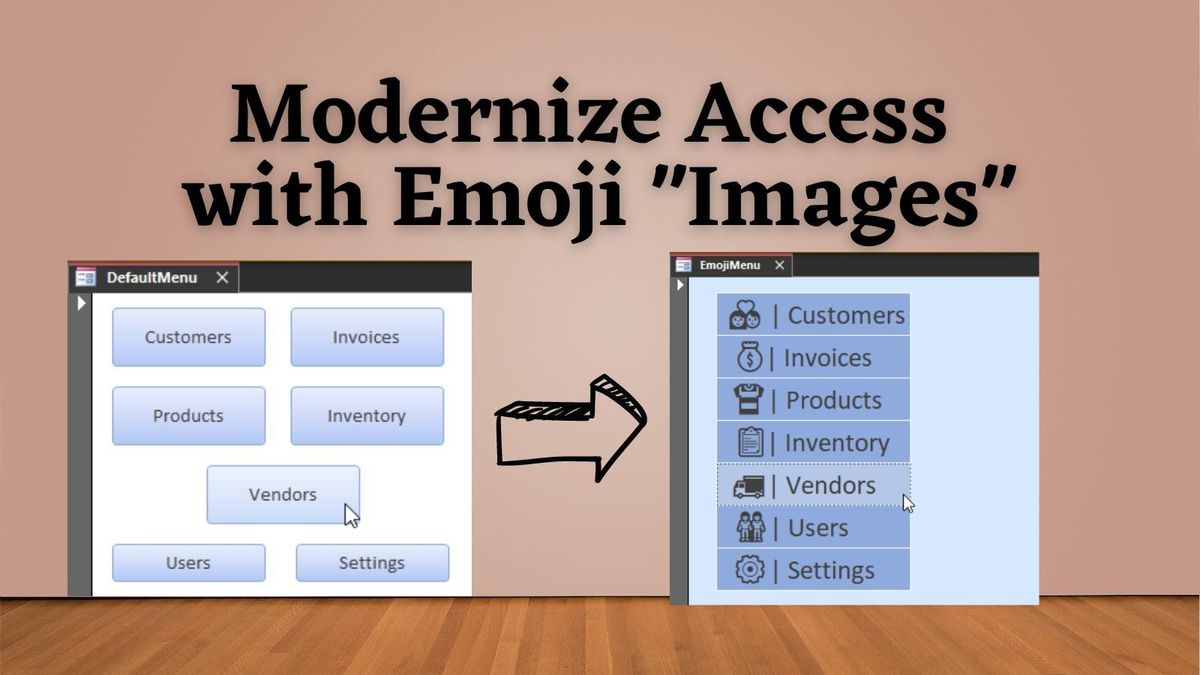
Quick Tip: Emoji Lookup in Windows
Looking for the fastest way to look up and insert emojis in Windows? This shortcut makes it quick and easy.
 Mike Wolfe
Quick Tip: Alt Codes in Windows
Checkmarks, bulleted lists, section symbols, pi, daggers, copyrights, etc. Each of these symbols can be entered in Windows using an easy keyboard shortcut.
Mike Wolfe
Wisdom from Around the Web
And "What about emoji on message boxes?" you ask...
New Style Access Message Boxes With Timeout
The MsgBoxT function was designed to create new style message boxes in Access 365 with a timeout feature. However, it can create each of the following message box types with or without a timeout: - new style message box with red header - Access 365 Current Channel or faster) - old style message box with a bold first line - standard message box with no formatting
 Colin Riddington
gitmoji
An emoji guide for your commit messages.
 Carlos Cuesta
Developer Humor
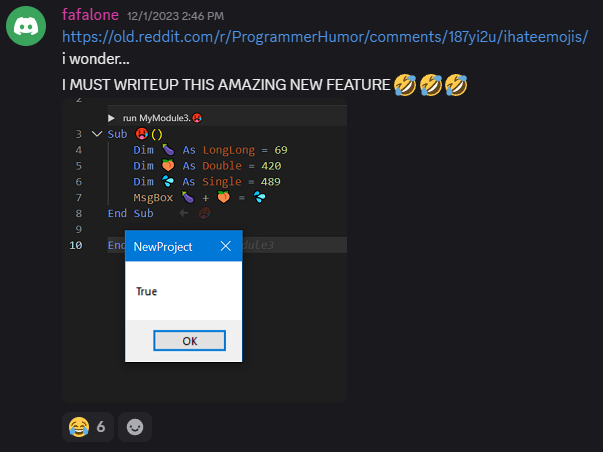
twinBASIC has full Unicode support in its IDE. Which means you can do things like use emoji characters as variable identifiers.
What could go wrong? 😂
iHateEmojis
by u/hypnofedX in ProgrammerHumor
Cover image generated by Ideogram

