RLVF: A Practical Example
How to instruct an AI agent to run unattended for long stretches of time without going hopelessly off track.


Reinforcement learning through verifiable feedback (RLVF) is a way to train AI models by giving them tasks with objective success criteria and letting them iterate on potential solutions to essentially teach themselves.
In a recent post, I wrote about how the DeepMind AI team at Google employed the concept to defeat the top human Go player in the world more than ten years ago, a feat that caught the world by surprise at the time:
 Mike Wolfe
At the end of that post, I promised to provide a practical example of how you can put that technique to use in your own development workflow.
Consider my promise fulfilled.
Practical Example: PDF Extraction
About a year ago, I had a client that had to import data from a set of structured PDFs once a month.
We had built an automated workflow that used a now-decades-old PDF text extraction utility. The utility did an unusually good job of preserving the PDF table structures, which allowed us to easily import the extracted data.
Then, one month, completely out of the blue, it broke.
The PDFs looked identical to past months. But upon closer inspection, I realized that the company producing the PDFs had switched to a new PDF generation tool. The new tool generated PDFs in the 1.7 specification rather than 1.4. As far as I could tell, it was not using any of the 1.7-only features in the new PDFs. But that didn't matter. Our old text extraction utility refused to work with them nonetheless.
The Quick and Dirty Interim Fix
As these things typically go, we did not have the luxury of time to address the problem. We had to produce a workaround within about two business days to meet the accounting team's hard deadline.
A "temporary" kludge was born:
- Open the v1.7 PDF
- "Print" the PDF to a virtual PDF printer (PDFCreator, in this case)
- Run the rest of the process with the "new" PDF
Step 2 created a PDF that was identical in every way...except it used the 1.4 spec instead of the 1.7 spec. Since the content of the PDFs was identical, no other changes were needed.
The "Temporary" Fix
Having resolved to fix the problem properly before the next month came around, I of course did no such thing.
Seven months later I was still opening the PDFs, re-saving them, running the text extraction utility, and sending the resulting files back to my client. The first of the month would roll around, I would get an email, and within one (or two...or three) days, I would run through the mechanical process and send the extracted files back.
This got old for both the client and me. But I never had the time–and couldn't justify the expense to the client–for refactoring a process that took no more than about 30 minutes for me to do, end to end.
At one point, I did try a few different more modern PDF text extraction utilities, but none of them matched the exact export format of the older utility. They would extract the text, but with different spacing. I would have had to re-write the text import procedure to handle the changes. And I still couldn't be sure that the newer utility would handle all the edge cases we had tuned our old import process to handle over the years.
The manual workaround languished in software purgatory for over half a year.
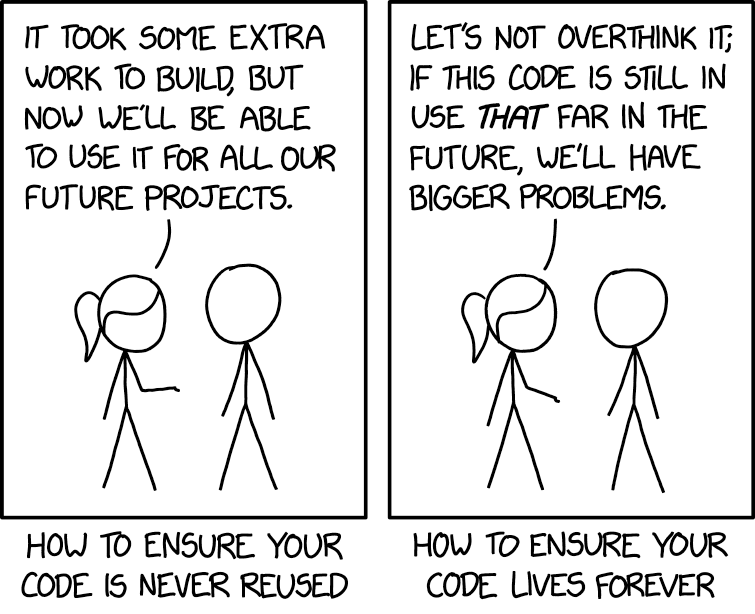
Seven Months of Verifiable Outcomes
"Enough already."
That described both how I felt and the amount of sample data I had accumulated.
What hadn't changed was my reluctance to sink a lot of time into automating a process that didn't take that long to do using the workaround.
What I did have, though, were the necessary ingredients to let AI build a working solution in roughly one prompt:
- A clear objective
- A comprehensive set of input data
- A matching set of verifiable outputs
Outcome-Based Instructions
With older AI models, you had to be very explicit about what you wanted them to do.
I described them at the time as "code-reading mentors" but "code-writing interns." Give them an inch of rope, and they would somehow manage to unravel it, fashion it into a makeshift noose, and hang themselves with it–while simultaneously averring the infallibility and general awesomeness of their solution.
The best practice at the time was to maximize context while minimizing the universe of potential solutions. A detailed road map with strong guardrails.
With newer models, that same advice no longer holds.
Instead, it's better to give them a clear outcome to work toward while avoiding unnecessary constraints.
The Prompt
I don't have the original prompt, but it went something like this:
Help me resolve Linear issue ABC-123.

The original and converted PDFs plus text files are in subfolders of `C:\Path\To\ABC-123\`

The text files are imported via the [Import Accruals] button.

Create a command-line utility in Go that:
- extracts text files from the original v1.7 PDFs
- can be imported using the existing [Import Accruals] functionality

Use the Functional Core, Imperative Shell pattern.  Keep the shell as thin as possible.  Provide 100% test coverage of the functional core.

Continue iterating until you have a solution that is functionally equivalent to the extracted text files in the above subfolder.
Breaking it down
Help me resolve Linear issue ABC-123.
Earlier this year we switched from FogBugz to Linear as our issue-tracking software. All the context I wrote at the beginning of this post was included (in much greater detail) in a Linear issue that described the whole v1.7 to v1.4 PDF spec rigmarole, the history of PDF conversions from the past seven months, copies of email correspondence related to the issue, etc. And Linear has an MCP server that allows Claude Code to fetch all that information.
Literally months of deep context boiled down to six words. Now that's what I call a high signal-to-noise ratio!
The original and converted PDFs plus text files are in subfolders of C:\Path\To\ABC-123\We give Claude Code copies of the incoming PDFs and the previously-produced text files so that it has all the raw material it needs to test its solution from end to end.
The text files are imported via the [Import Accruals] button.
This is the "clear outcome" to work toward. The actual goal is not to create byte-perfect replicas of the existing text files. After all, those are just an interim representation of the data. That will matter, it turns out.
Create a command-line utility in Go that:
I'll write more about why I choose Go for much of my AI-driven development, but here is the short version:
- Compile-time checks
- Static typing
- Strongly enforced style
- One clear way to do almost everything
- Backward compatibility pledge
- Strong official library
- Minimal additional dependencies
- Compiles to a small standalone executable with no required runtime
Several of the above traits make Go unusually well-suited for AI-driven development. Again, more to follow in future articles.
• extracts text files from the original v1.7 PDFs
• can be imported using the existing [Import Accruals] functionality
Keep the actual "how" as brief as possible. This is about as limited as this can be. It essentially lays out two things:
- The inputs (what the utility will have to work with)
- The outputs (what the utility must produce)
Use the Functional Core, Imperative Shell pattern. Keep the shell as thin as possible. Provide 100% test coverage of the functional core.
This is my cheat code for AI development. Read about it here:
 Mike Wolfe
Continue iterating until you have a solution that is functionally equivalent to the extracted text files in the above subfolder.
This is the RLVF instruction. It's where I tell the AI to keep trying until it can verify that it got everything right.
The Somewhat Surprising Result
The text files the utility extracted looked almost nothing like the text file targets I provided it.
In fact, the first time I sent the extracted text files to our client, she sent them back because they couldn't possibly be correct. The old files were ~30KB each. The new ones were under 10KB each.
They were obviously missing information. Right?
Wrong.
It turns out the utility realized it didn't need to extract all the text from the PDFs; it just needed the columns that were imported during the existing [Import Accruals] process. After all, that's what I said it needed to support.
The Not-Surprising Result
After asking one or two clarifying questions, the AI ran for about 15-25 minutes completely on its own.
I would occasionally check on its progress in between working on other projects. I didn't feel compelled to watch its every move. I had seven months of test data to validate against. If the utility didn't handle something in that data, I would know about it. And the AI would keep trying until it had a workaround for the issue. And if there is some edge case in a future PDF? I'll handle that then. And it's not something I would have caught if I were writing the code by hand anyway.
At the end of that 20-25 minute run, I had a standalone, fully tested command-line utility that had been verified against seven months of test data.
That's more thorough than I would have been if I'd been writing it by hand myself.
The Key Takeaway
Once I set the RLVF prompt in motion, the marginal value I could provide by writing or even reading any of the code being produced was nearly zero.
These days, I almost never write or read code.
But that doesn't mean I've adopted some YOLO, prompt-and-pray workflow. It means I'm constantly learning how to work both safely and productively in this age of AI.
RLVF is simply one more tool in the toolbox that I use to help me move fast and brace things.
 Mike Wolfe
*All text in this article written by a 100%-certified free-range human.

